

Last Week in Identity: The help desk that wasn't
Fake IT support on Teams turned into stolen AD CS certificates and DCSync. Plus Binance, a claimed DHS leak and two shells on KEV.
 Kev Johnson
10 min read

Picture the Teams message. It's from "IT Support", there's a little shield emoji in the name, and it helpfully says "(Internal)" next to it, which is the sort of thing only an internal account would bother to point out. Your inbox has just been buried under a few hundred newsletter sign-ups, and here is someone kind enough to fix it. All you need to do is open Quick Assist and read out six digits.
This week Microsoft published what happens after you read out the digits. In one case it ended with certificates for eleven privileged accounts, a DCSync against a domain controller, and a file server being quietly copied out to an SFTP server by a program calling itself SearchApp.exe. This episode: the fake help desk that walks straight into Active Directory Certificate Services, a record crypto theft that started on one laptop, a leak someone says came through an identity provider (the identity provider disagrees), two shells on the KEV list, and some money flowing into secrets management.
The headlines
Binance links a $6.3bn theft to one DevOps laptop. Binance said attackers reached a service container and pushed unauthorised withdrawals, with roughly USD 6.36 billion moved on 29 October, mostly inside about 20 minutes according to TRM Labs (BleepingComputer). Binance has found no evidence of a leaked wallet private key so far and says it has found "additional points of breach". TRM and Chainalysis attribute it to North Korea's TraderTraitor; Binance has not attributed it. Whatever the final chain looks like, an engineer's endpoint and the machine identities it could reach sat in the middle of it.
A DHS staff dataset is out, and the Okta route is a claim. Distributed Denial of Secrets published data on more than 40,000 current and former Homeland Security staff and contractors on 28 October (TechCrunch). The person behind it says it came from the Okta single sign-on system DHS uses. Okta says it "is secure" and has no evidence its data or systems were compromised, and DHS says it is aware of a potential breach. Note what that statement does and doesn't cover: a platform compromise and a customer's tenant being misused are different things, and nobody has said which, if either, this was.
PHP2Shell and Node2Shell both landed on CISA's KEV list. The PHP pair (CVE-2026-109618 and CVE-2026-109619, CVSS 9.2) went on on 26 October (The Register) and the Node.js Brotli flaw (CVE-2026-111497) on 27 October (BleepingComputer). Neither report names an identity product as exploited. But the vendor advisories from the week before are clear that Okta Access Gateway and Duo Access Gateway carry the PHP flaws (Okta advisory, Cisco PSIRT), and Auth0 customers were told to move Actions to Node 22 and update the AD/LDAP connector (Okta Security). Okta says Access Gateway's default configuration mitigates known exploitation, and recommends upgrading anyway. If you run either gateway on-prem, "known exploited" is your cue.
Deal of the week: Infisical raises $40m. The open-source secrets manager announced a $40m Series B at a $600m valuation on 27 October, led by Elad Gil, and says more focus is going into Agent Vault, which lets AI agents use credentials without seeing them (Infisical). The so-what for practitioners: brokered credentials for agents are becoming a product category, not a pattern you build yourself. The timing was helpful. The following day a researcher working with MongoDB reported 26,400 working credentials sitting in 7.25 million public Gitee repositories (MongoDB). Elsewhere, Mintive raised a $7m seed for AI agent identity governance (IDTech).
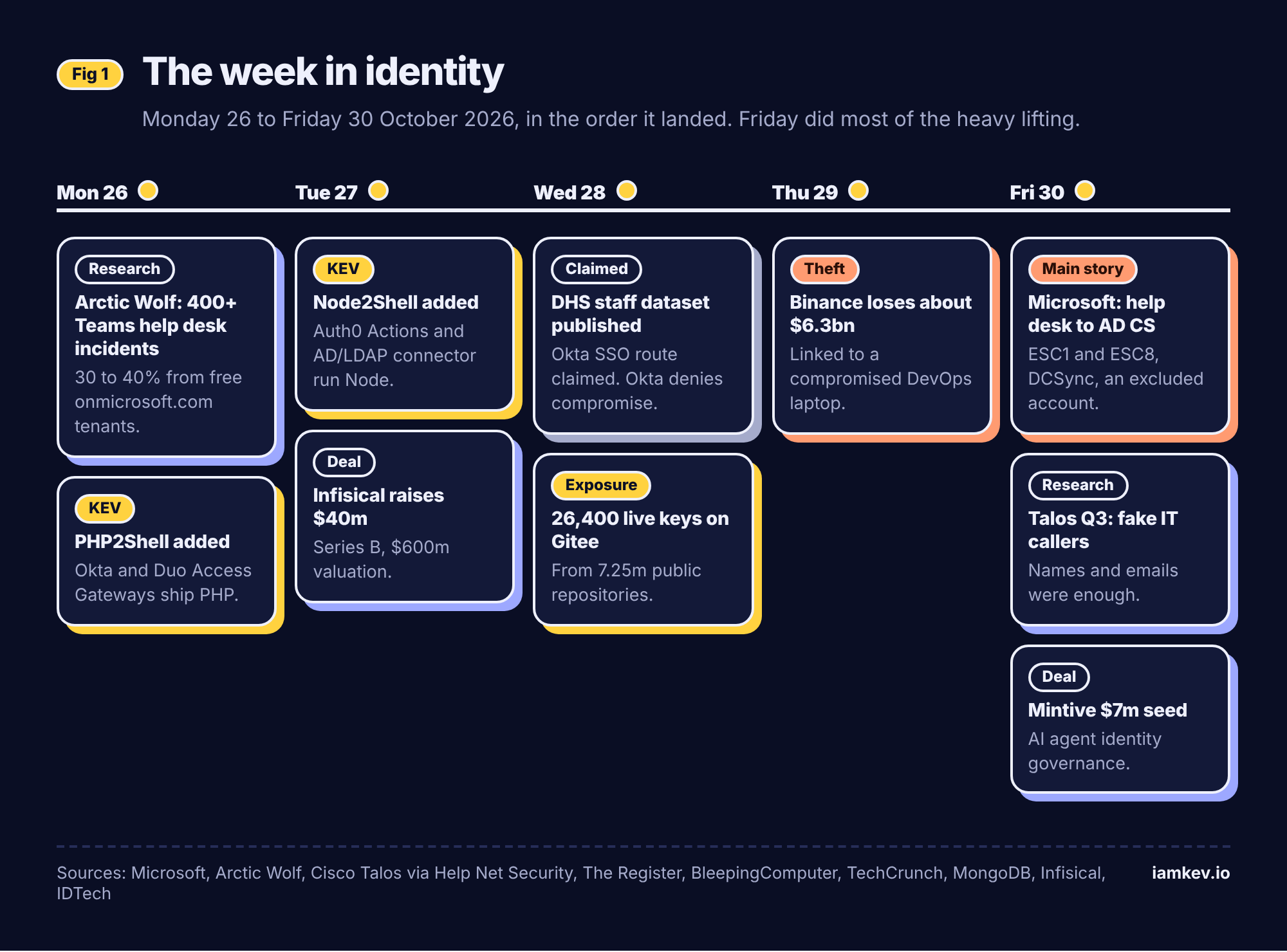
The main story: the fake help desk that ends at your certificate authority
On 30 October Microsoft's security researchers published an investigation into two intrusions that started the same way and ended in very different places (Microsoft Security). Microsoft doesn't attribute the activity to a named actor and doesn't give dates. What it does give is a step-by-step account that every AD admin should read twice.
How it went
The opening is not new. Attackers messaged and called users on Teams from onmicrosoft.com tenants with support-style names, then talked them into starting a Quick Assist session and sharing the code. No malicious attachment, no exploit. Once on the keyboard, the attacker dropped an archive into Downloads, created a KB-prefixed folder under the user profile (because nothing says "legitimate" like looking like a Windows update), and launched code with a portable Python, Bun or Java runtime from that user-writable path. Then came discovery over LDAPS and SMB, and a look at Active Directory Certificate Services.
From there the two cases split.
In the first, a vulnerable certificate template allowed ESC1: the requester could supply the subject, so the attacker requested certificates as highly privileged accounts. Wave one targeted 3 users, compromised one workstation and produced certificates for 3 privileged accounts. Defender's automatic attack disruption kicked in and restricted those identities. About 90 minutes later the attacker came back with a bigger wave, 16 users this time, and walked away with certificates for 8 more privileged accounts. Within seconds of having one privileged certificate, they ran DCSync against a domain controller while containment was still taking effect. Disruption blocked more than 1,000 later SMB file-access attempts, which is a good number. But one privileged account had been excluded from automated response, so containment never applied to it. The attacker used that account to log on, reach a file server and run a renamed Rclone (SearchApp.exe) to copy data to an external SFTP server.
In the second case, the template route wasn't there, so the attacker used PetitPotam to coerce a domain controller into authenticating, relayed that NTLM authentication to AD CS Web Enrollment (ESC8), got a certificate from the Domain Controller template and used PKINIT to obtain a Kerberos TGT as the domain controller's machine account. Defender raised ESC8 alerts, the customer isolated the workstation, and Microsoft says no further progression was observed.
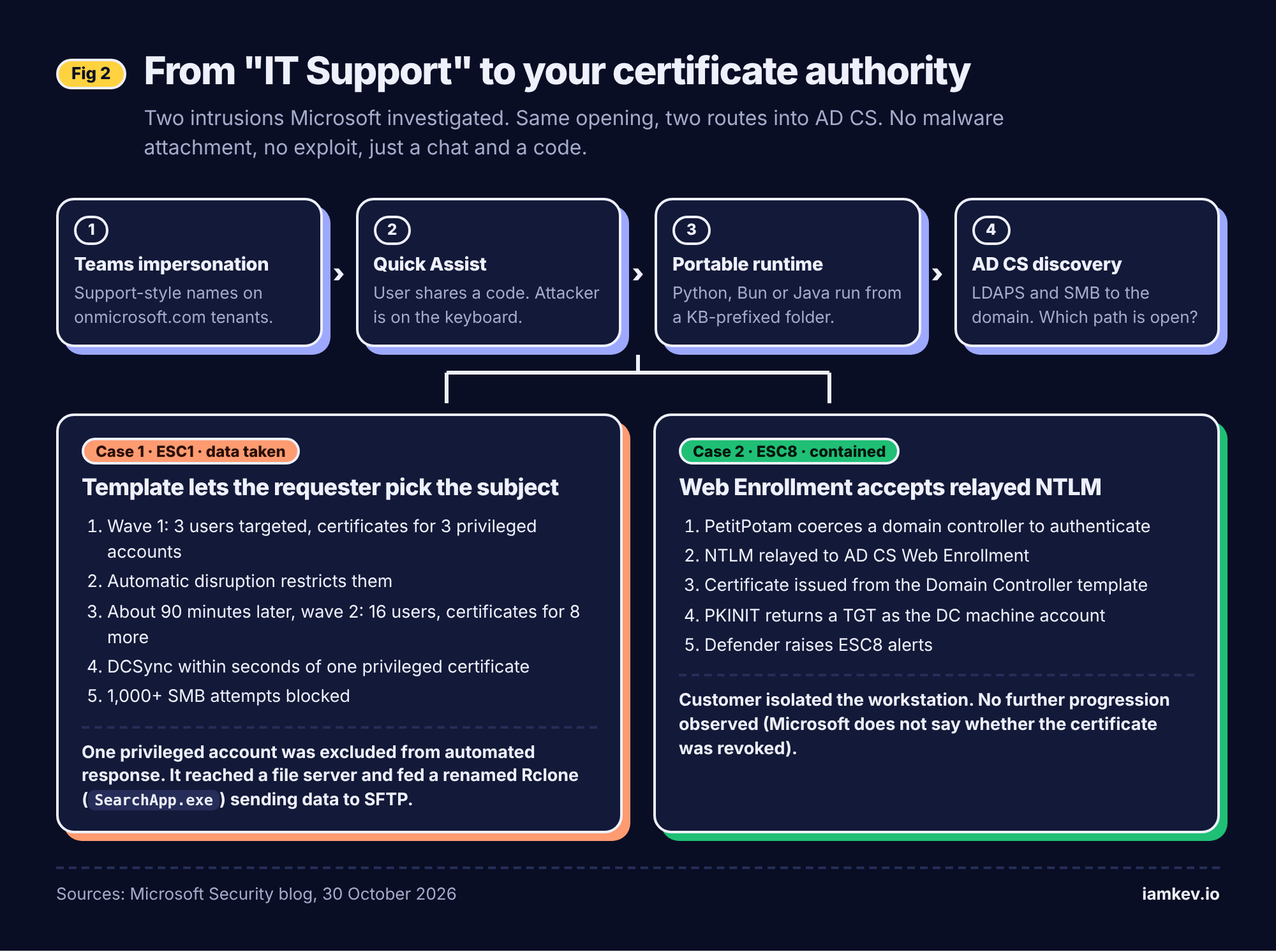
Why it worked
Three things lined up, and none of them is exotic.
First, the front door is a person, and the attackers don't need to know much about them. Arctic Wolf, publishing on 26 October, counted more than 400 incidents abusing Teams external chat, with 30 to 40 percent coming from free onmicrosoft.com tenants and more than 100 display names decorated with shield or wrench emoji (Arctic Wolf). Payloads ran in under 15 minutes after a victim engaged. Cisco Talos, in its Q3 incident response report, said the callers it saw seemed to have little more than names and email addresses, and went after any susceptible user rather than admins (Help Net Security). Protections aimed only at executives would have missed them.
Second, AD CS is an identity provider that most organisations don't treat as one. A template that lets the requester name the subject is a machine for minting other people's identities. Web Enrollment that accepts NTLM is a relay target. Both are configuration, not vulnerabilities, which is why they survive years of patching.
Third, certificates are durable. Resetting a password doesn't stop a certificate from authenticating. And Microsoft spells out the uncomfortable bit: revoking a certificate does not invalidate TGTs or service tickets already issued. Your clean-up has to go beyond the thing you can see in the CA console.
What's confirmed and what isn't
Confirmed, per Microsoft: both intrusion chains, the ESC1 and ESC8 abuse, the DCSync, the exfiltration through the excluded account, and the PKINIT success in case two. Not stated: attribution, dates, any ransomware, how long the attacker had, or why that one account was excluded. Case two's "no further progression observed" is an observation, not a guarantee, and Microsoft doesn't say whether the domain controller certificate was revoked.
The bigger pattern
This is the help-desk attack growing up. A couple of years ago the story was "fake IT support gets remote access and deploys ransomware". Now the remote session is a starting point for going after the identity plane itself: the CA, the replication rights, the privileged accounts. Talos saw the same opening end in ransomware in at least one case this quarter.
And the most instructive failure in the whole write-up isn't technical. Automated containment did its job on every identity it was allowed to touch. The attacker simply used the one it wasn't. Somebody, at some point, had a good reason to exclude that account. I say this as someone whose own rolled-back lab domain controller sat quietly for eighteen days in October before taking DNS down: the thing you set aside and stop thinking about is the thing that comes back for you. The exceptions you make on a calm Tuesday are the ones that bite on a bad Friday.
What defenders should do
Lock down the opening. Switch Teams external access from "allow all" to an allow-list of partner domains, block trial and unmanaged tenants, and restrict Quick Assist to IT roles. Make "IT will never ask you to read out a code" part of how your real help desk introduces itself.
Audit AD CS like it's a tier zero system, because it is. Find templates that allow requester-supplied subjects with authentication EKUs and broad enrolment rights. Remove Web Enrollment and CES endpoints you don't need; where you keep them, require HTTPS with Extended Protection for Authentication and move off NTLM. Microsoft points to KB5005413 for the relay guidance.
Turn on CA auditing (success and failure) and keep the CA database and logs somewhere an attacker can't tidy.
Review every exclusion from automated response. For each one, write down who owns it, why it exists and what the manual compensating action is.
The recovery question
Could you detect it? Certificate requests for privileged subjects from a normal workstation, and replication requests from something that isn't a domain controller, are both loud if you're listening. Could you contain it? Only if containment covers every privileged identity, including the awkward ones. Could you roll the identity plane back to known-good? That's the hard part. After DCSync you have to assume every hash in the domain is known, so you're looking at a double krbtgt reset, resetting privileged and service account credentials, revoking every certificate issued by the abused templates, fixing the templates themselves, and dealing with tickets already in flight. If your recovery plan is "restore the DCs from last night's backup", ask whether last night's backup already had the vulnerable template and the attacker's certificates in it. Known-good is a state you have to prove, not a timestamp you pick.
That is the point of this week. The attacker didn't break in. They were invited in, then they asked your own certificate authority for a badge, and it said yes.
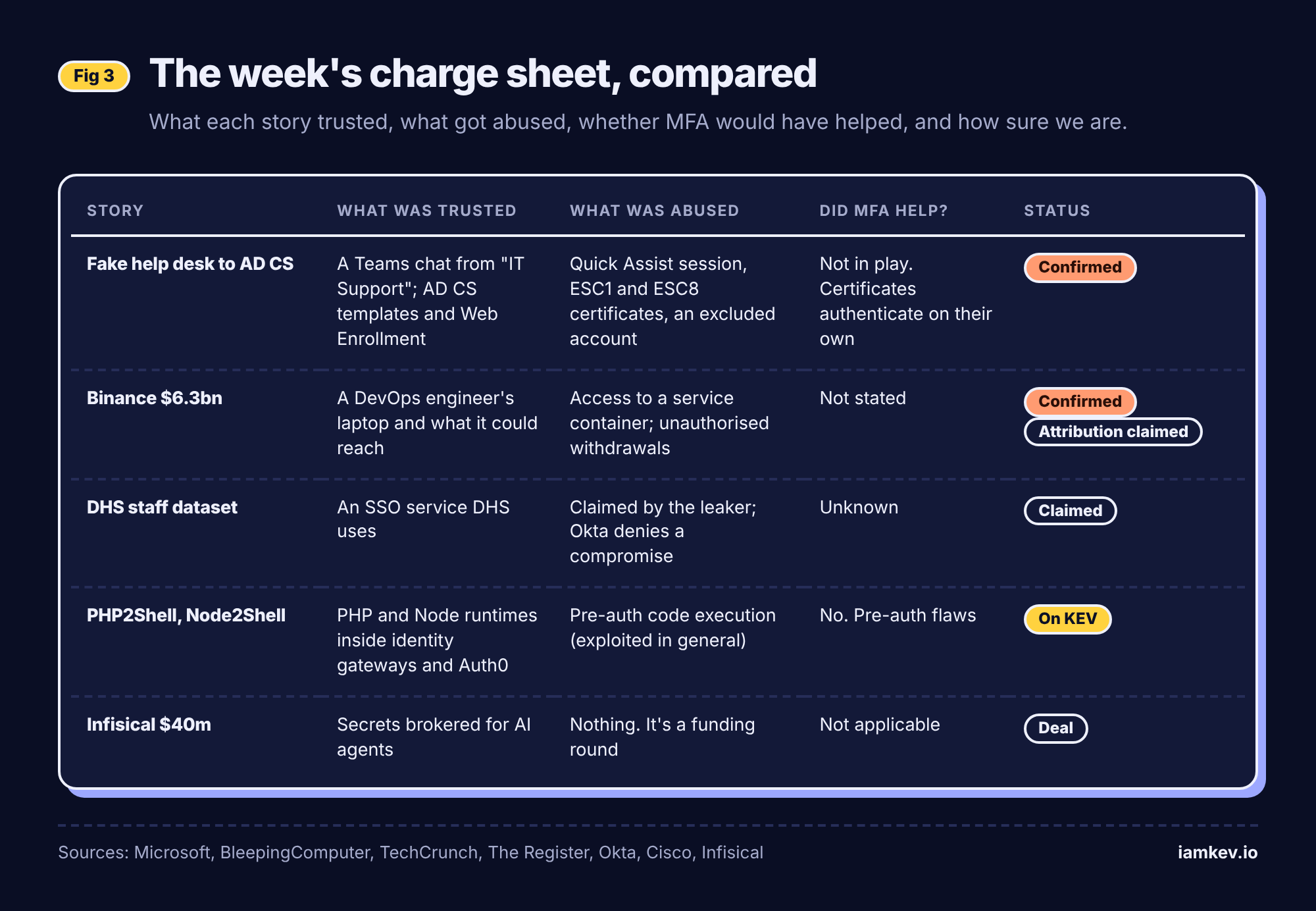
Identity of the week
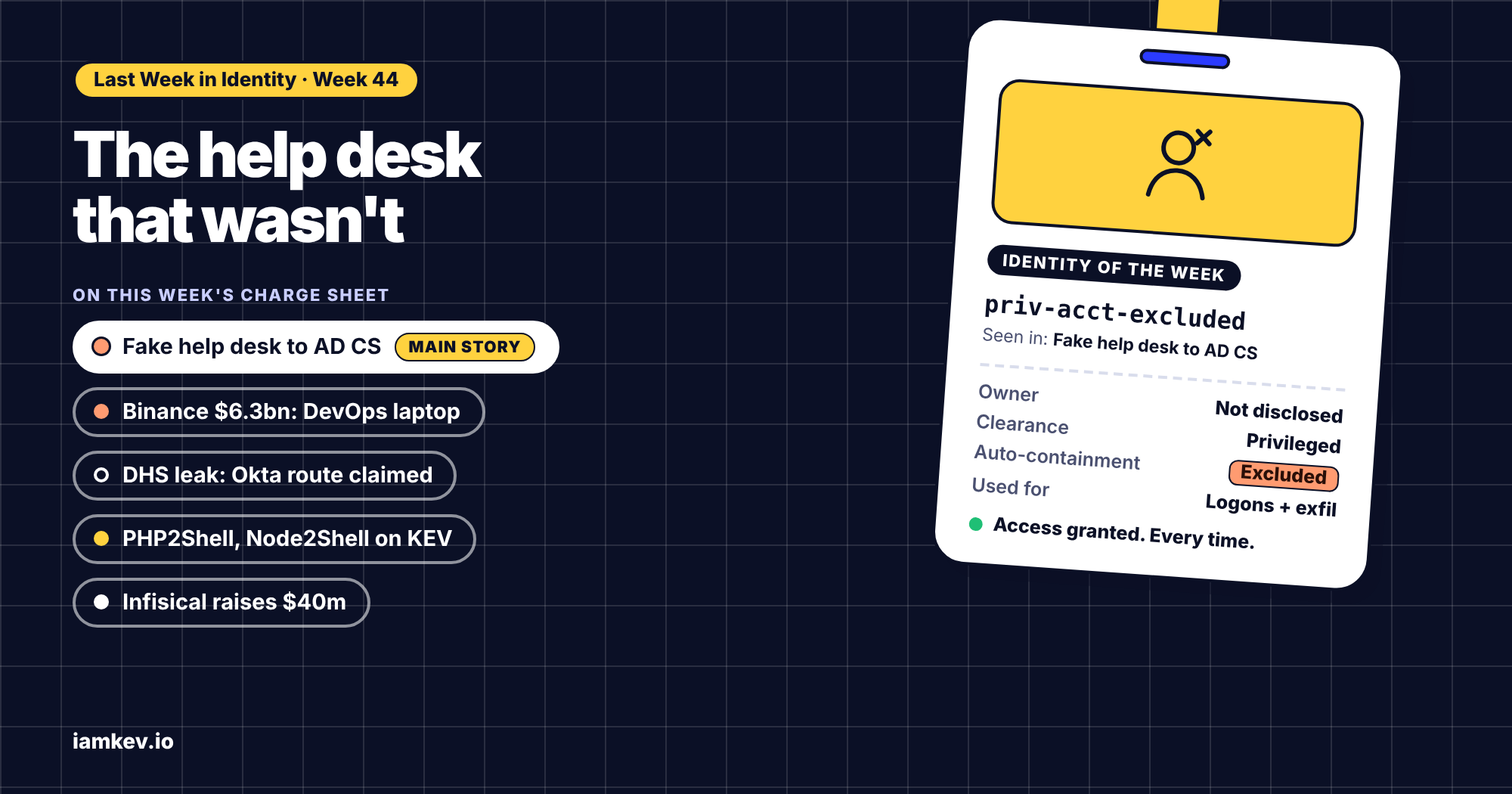
This week's badge goes to an account we don't even know the name of: the privileged identity in Microsoft's first case that was excluded from automated response.
Owner: not disclosed. Who vouched for it: whoever added it to the exclusion list, presumably for a perfectly sensible reason that made sense at the time. Clearance: privileged. Containment status: excluded, which in practice meant "please don't touch, it's important". What it did: while every other compromised identity was being restricted, it carried on logging on, reached a file server and supervised a renamed Rclone shipping files to an SFTP server, twenty transfers at a time. Expiry date: whenever someone next reviews the exclusion list.
It's not a villain. It's every service account, break-glass account and "the CEO's assistant's account, just in case" that we quietly carve out of our controls because breaking it would be worse. The lesson isn't "never exclude anything". It's that an exclusion is a decision, and decisions need an owner and a plan B.
What I'd do this week
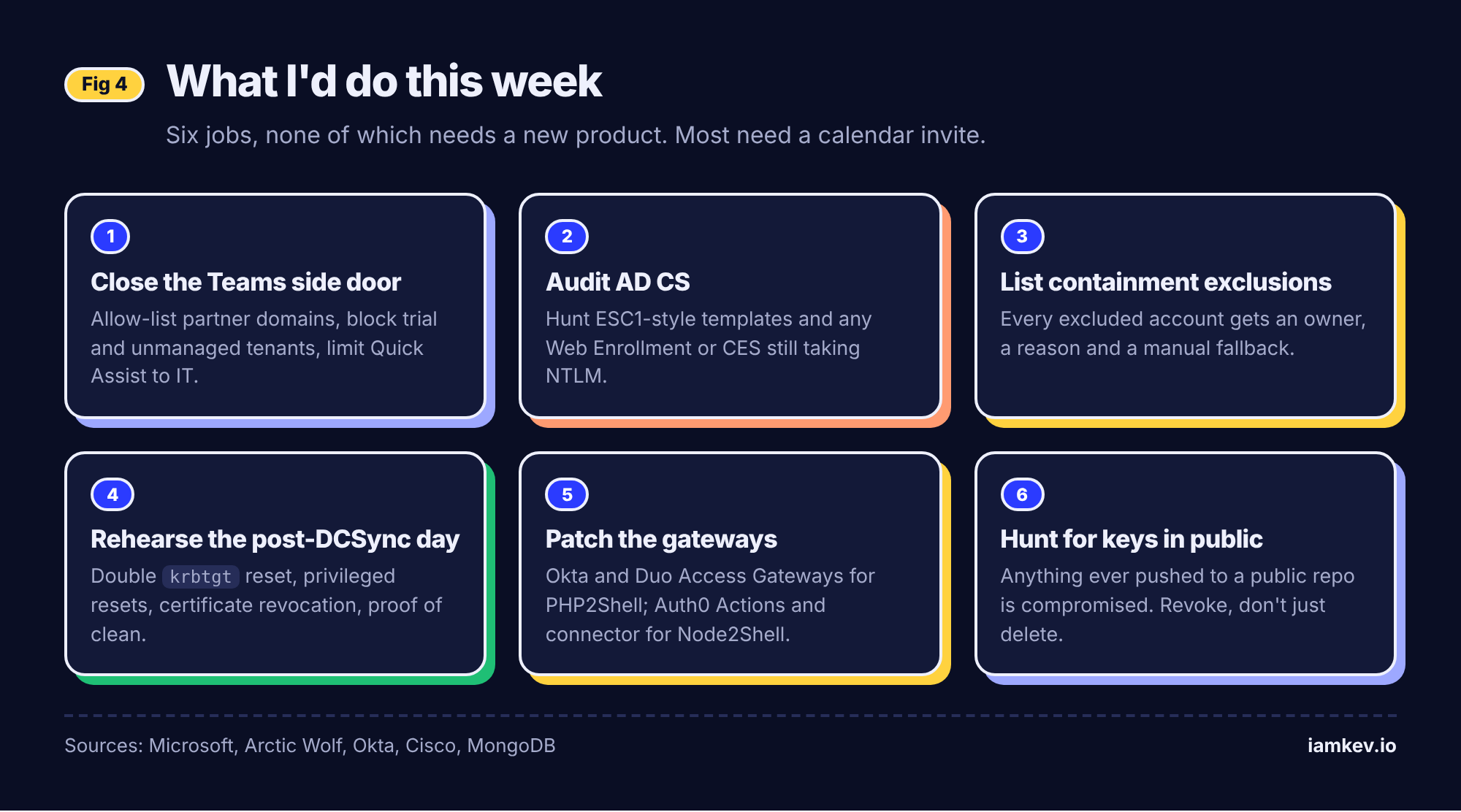
- Close the Teams side door. Move external access to an allow-list, block trial tenants and unmanaged accounts, and limit Quick Assist to IT. Then tell staff how your real IT team contacts them.
- Run an AD CS audit. Look for ESC1-style templates (requester supplies the subject, authentication EKU, broad enrolment) and any Web Enrollment or CES endpoint still accepting NTLM. Fix or remove.
- List your containment exclusions. Every account or device excluded from automated response gets an owner, a reason and a written manual action.
- Rehearse the post-DCSync day. Walk through a double krbtgt reset, mass privileged credential resets and certificate revocation on paper, including how you'd prove the restored forest is clean.
- Patch the gateways. If you run Okta Access Gateway or Duo Access Gateway on-prem, confirm you're on the fixed versions for PHP2Shell. If you use Auth0 Actions or the AD/LDAP connector, check the Node2Shell guidance.
- Hunt for keys in public places. If your teams have ever pushed to a public mirror or Gitee, treat any key there as compromised and revoke it. Deleting the commit doesn't revoke anything.
When did you last look at who's on your automated-response exclusion list, and could you explain every name on it? Tell me in the comments. If this was useful, subscribe and the next one lands in your inbox.
That's last week in identity. Check your app consents, and I'll see you next Monday.
Sources
Main story: help desk impersonation to AD CS abuse
- From help desk impersonation to AD CS abuse: Investigating ESC1 and ESC8 intrusion paths, Microsoft Security, 30 October 2026
- Threat actors abuse Microsoft Teams external chat for initial access, Arctic Wolf, 26 October 2026
- Hackers bury inboxes in spam then show up on Microsoft Teams posing as IT support, Help Net Security, 27 October 2026
- Fake IT help desk callers got by on little more than names and email addresses, Help Net Security (Cisco Talos IR Q3 2026), 30 October 2026
Binance
- Binance links $6.3 billion crypto theft to compromised DevOps laptop, BleepingComputer, 30 October 2026
DHS dataset
- Hacker stole personnel data about thousands of Homeland Security employees, TechCrunch, 28 October 2026
PHP2Shell and Node2Shell
- CISA confirms PHP2Shell under attack as researchers clock successful exploits, The Register, 27 October 2026
- CISA warns of hackers now exploiting critical Node2Shell flaw, BleepingComputer, 28 October 2026
- PHP runtime vulnerabilities affecting Okta Access Gateway, Okta, 22 October 2026
- Cisco PSIRT advisory on PHP vulnerabilities, Cisco, 21 October 2026
- Node2Shell Node.js Brotli flaw (CVE-2026-111497), Okta Security, 23 October 2026
Deals and secrets
- Infisical Series B announcement, Infisical, 27 October 2026
- Mintive raises $7 million seed round to govern enterprise AI agent identities, IDTech, 30 October 2026
- Scanning 7.25 million public repositories on China's largest Git platform for secrets, MongoDB, 28 October 2026
- 26,400 valid cloud and AI credentials found exposed in public Gitee repositories, The Hacker News, 29 October 2026